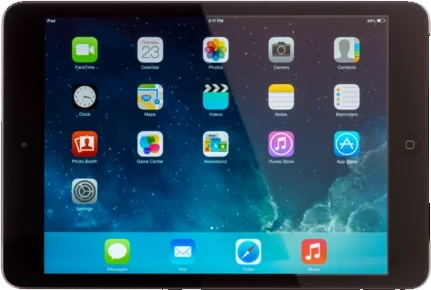
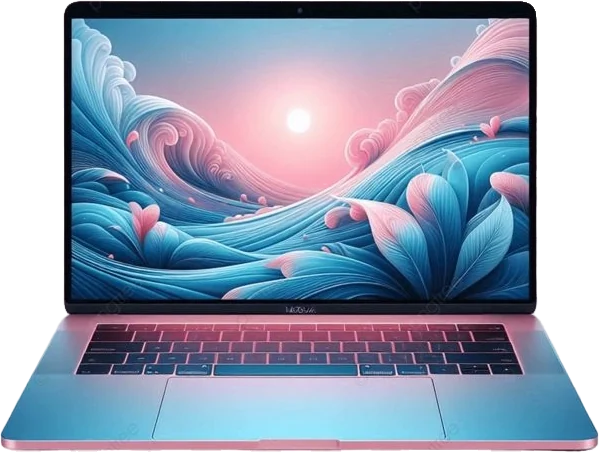

The Free Government iPad and Laptop Combo pairs an iPad 7th or 9th Gen with a Chromebook 11, Dell Latitude or MacBook Pro. Both are free and refurbished for eligible customers who enroll in Combo Wireless service. Your service line runs on a compatible phone you already own.
A setup built for studying
Students often use two screens at once: reading material on one, writing on the other. This combo is built around that habit.
Read on the iPad
Open textbooks, PDFs and lecture slides on the 10.2-inch Retina display.
Take notes by hand
Both iPads support the Apple Pencil (1st gen), sold separately, for handwritten notes and annotating PDFs.
Write on the laptop
Type essays, build spreadsheets and submit assignments with a full keyboard.
Best pairings
| Pairing | Why it works |
|---|---|
| iPad + MacBook Pro | Same Apple Account: AirDrop, iCloud Drive, Universal Clipboard and Notes sync between them. Features depend on each device's software version. |
| iPad + Chromebook 11 | Google Docs, Classroom and Drive on both. A common choice for schools that use Google Workspace. |
| iPad + Dell Latitude | Microsoft 365 apps on both, plus full Windows software for courses that require it. iCloud for Windows is available. |
Device details
iPad options
| Feature | iPad 7th Gen | iPad 9th Gen |
|---|---|---|
| Display | 10.2-inch Retina | 10.2-inch Retina with True Tone |
| Chip | A10 Fusion | A13 Bionic |
| Security | Touch ID | Touch ID |
| Accessories | Apple Pencil (1st gen) and Smart Keyboard support | Apple Pencil (1st gen) and Smart Keyboard support |
| Connector | Lightning | Lightning |
| Software | Does not run the newest iPadOS releases | — |
| Front camera | — | 12MP ultra wide with Center Stage |
| Best for | Web browsing, video and reading on a large Apple screen | Video calls, classes and apps with longer iPadOS support |
| Price (eligible) | Free, refurbished | Free, refurbished |
We recommend the iPad 9th Gen for students where available, because it runs newer iPadOS versions and has a better front camera for online classes.
Laptop options
| Feature | Chromebook 11 | Dell Latitude | MacBook Pro |
|---|---|---|---|
| Display | 11.6-inch (typical for this class) | — | — |
| Software | ChromeOS with automatic updates | Windows | macOS |
| Best at | Web apps, Google Docs, online classes | Office apps, job applications, full desktop software | — |
| Brand/model | Varies by availability | — | — |
| Class | — | Business-grade Windows laptop | Apple professional laptop |
| Model/specs | — | Vary by availability; confirmed before shipping | — |
| Works with | — | — | iPhone and iPad via iMessage, AirDrop and iCloud |
| Model year/specs | — | — | Vary by availability; confirmed before shipping |
| Best for | Students and anyone who works mostly in a web browser | Job seekers and anyone who needs full Windows software | iPhone and iPad owners who want everything in one Apple account |
| Price (eligible) | Free, refurbished | Free, refurbished | Free, refurbished |
Laptop brand, model year and specs vary by availability and are confirmed before shipping.
Diagonal screen size in inches from manufacturer specifications. Foldables shown at main (unfolded) display size.
Source: manufacturer specifications (Apple, Samsung).
Your phone and service line
This combo doesn't include a phone. You'll activate your Combo Wireless line (unlimited talk & text with a qualifying data allowance on the T-Mobile network) on a compatible, unlocked phone you already have. See bring your own phone to check compatibility. The iPad and laptop connect over Wi-Fi, or through your phone's hotspot when you're away from Wi-Fi.
Eligibility
You qualify for Lifeline through a program such as Medicaid, SNAP/EBT, SSI or Federal Public Housing Assistance, or through household income. In California, participation in the National School Lunch Program also qualifies for California LifeLine; see our California page.
How to apply
- Apply online and choose the iPad & Laptop combo.
- Complete Lifeline verification.
- Activate your line on your own phone.
- Your iPad and laptop ship with free standard shipping.
iPad and laptop combo FAQs
Is this combo only for students?
No. Anyone in an eligible household can choose it. It's simply well suited to studying, writing and remote work.
Do I need my own phone?
Yes. The service line runs on a compatible phone you already own. If you need a phone, choose the iPhone and laptop combo or the phone and laptop combo.
Is an Apple Pencil included?
No. Both iPads support the 1st-generation Apple Pencil, but accessories aren't part of the combo.
Are the iPad and laptop free?
Yes, for eligible customers who enroll in Combo Wireless service. Both are refurbished and ship free.